Lesson 8 of 15
Keeping score with Tileside
Tileside adds up every turn for you. Here's what the turn screen looks like and what to tap, so nothing on it is a surprise.
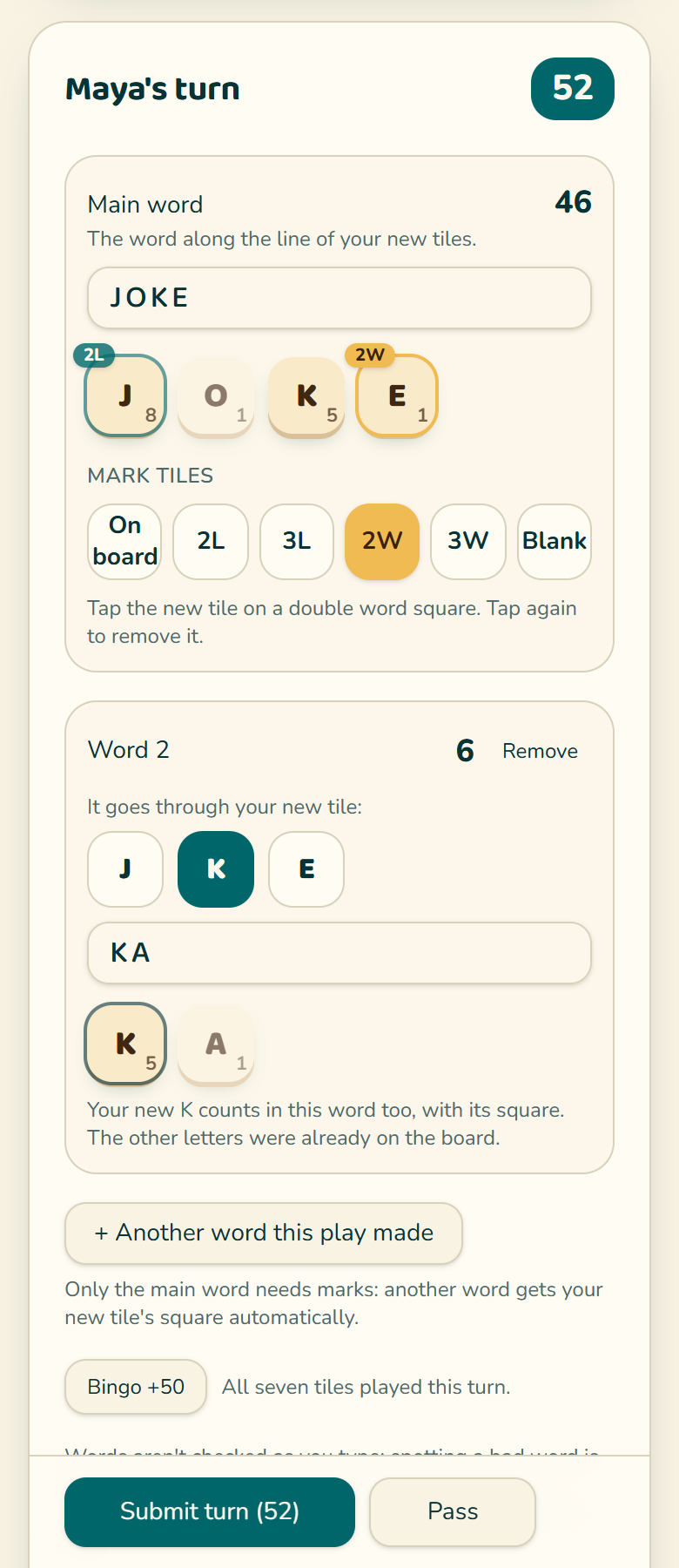
- 1Type the main word: the word along the line of the tiles you just placed.
- 2Letters that were already on the board: with "On board" selected under Mark tiles, tap each one. It still scores. Marking it tells Tileside the tile isn't new, so it isn't counted as played twice.
- 3Bonus squares: tap 2L, 3L, 2W or 3W under Mark tiles, then tap the new tile on that square. Tap a tile again to remove a mark.
- 4A blank: type ? and then the letter it stands for. HOU?SE is HOUSE with a blank S, shown as HOUsE, and the blank scores 0. Your score sheet shows it in lowercase too.
- 5Did your play make another word too? Tap "Another word this play made", pick the new tile it goes through and type it. Its other letters count as on the board, and your new tile keeps its square in both words.
- 6Used all seven tiles? Tap Bingo +50. It switches on by itself when seven new tiles were played.
- 7Tap Submit turn, or press Enter. The words and points show next to the button first. Can't play? Tap Pass. Swapping tiles? Tap Swap, next to Pass.
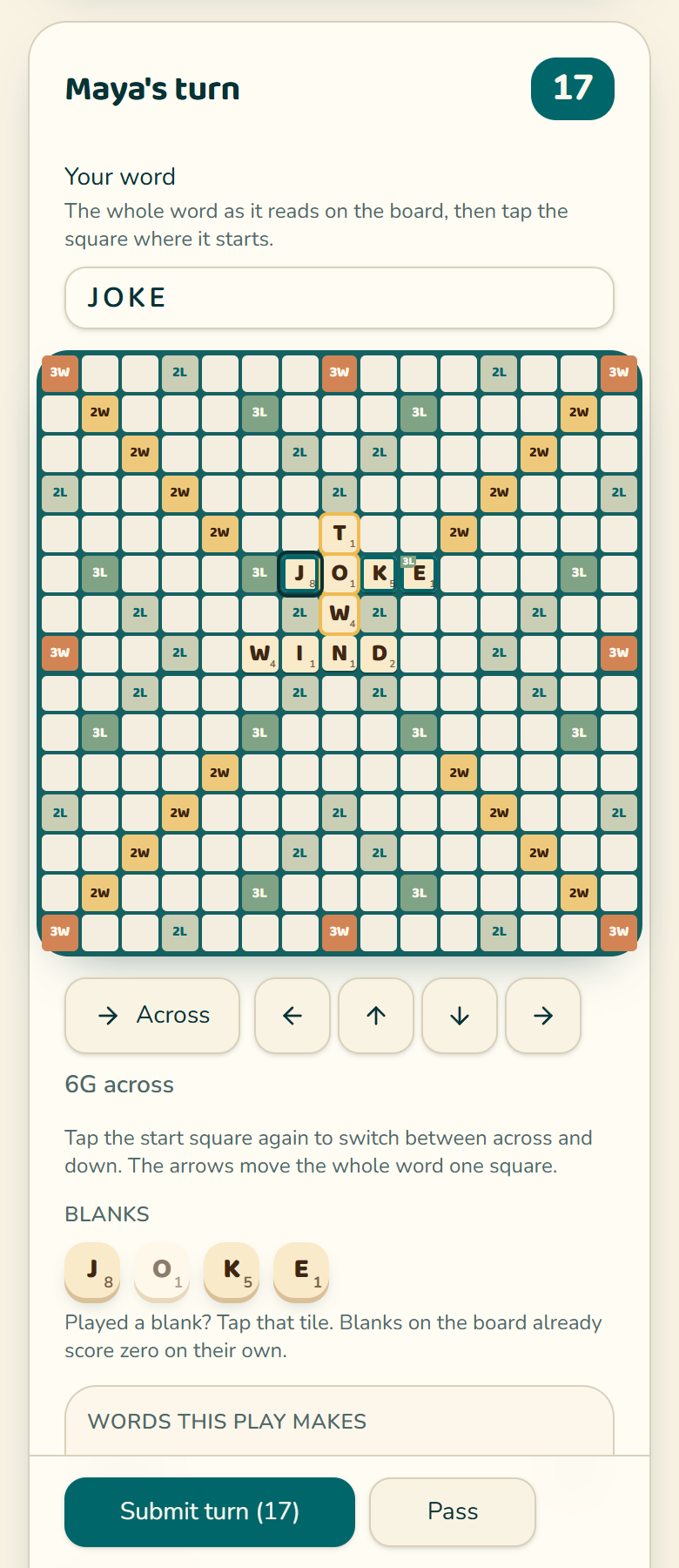
With Pro you can score on the board instead: choose "On the board" when you set up the game. Type the whole word as it reads on the board and tap the square where it starts; tap that square again to switch between across and down, and use Move start if you missed by a square. With a keyboard you never need to click twice: click the start square, type the word, press Space to switch across and down, use the arrow keys to move the start, and press Enter to save the turn. On a phone, Zoom in shows the board with bigger squares; swipe to move around it. Tileside sees which tiles are new, scores the bonus squares under them, finds every other word the play made, and shows the board on the live scoreboard.
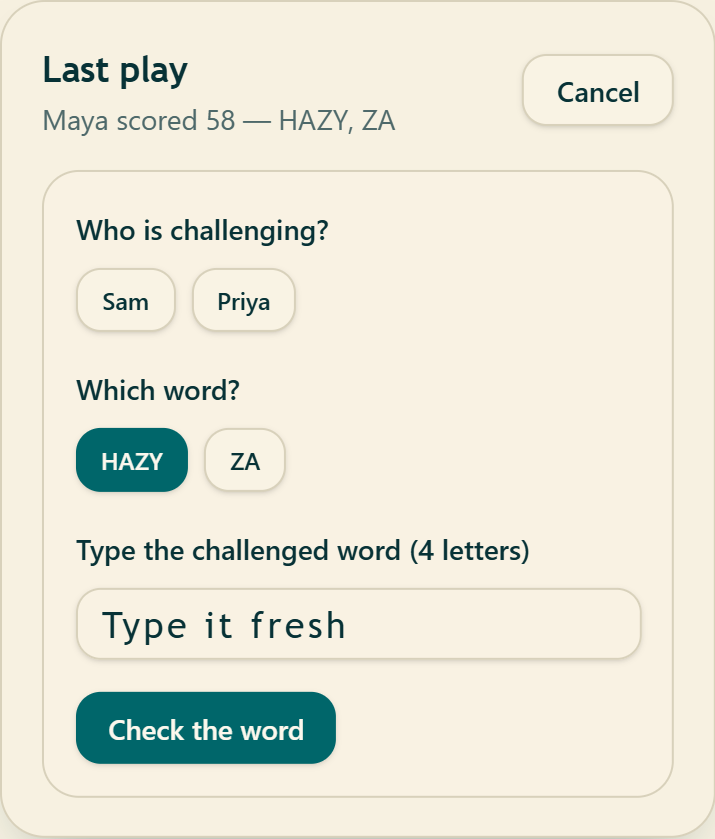
To challenge, tap Challenge on the last play before the next player submits. Pick who is challenging and which word, type the word fresh, and tap Check the word. Tileside applies the result for you.
When someone plays their last tile, or nobody can move, tap End game. Say who played their last tile, type the letters left on each rack, and tap Finish game. Tileside does the subtracting and adding.
Practice
Your first word covers the ★. Do you need to mark a 2W?
Practice
How do you enter a blank used as the T in CAT?
Forgot what a word means? Table words
Looking for a rule? How to Play has them all
Free scoring guide for your next game
A one-page printable of tile points, bonus squares and how a turn scores. Download it right away. Then two short welcome emails (three scoring habits, then what Tileside Pro adds), and about once a month, a little more around the holidays: a word to know and a tip that scores.
Word list: NASPA Word List 2023, used under license. NASPA Word List 2023 Edition © NASPA 2023. The copy included in this app is licensed for personal use. You may not use it for any commercial purposes.